Add a photo or PDF, check the details, and save the expense. Review it as business, flag it for later, or mark it personal.
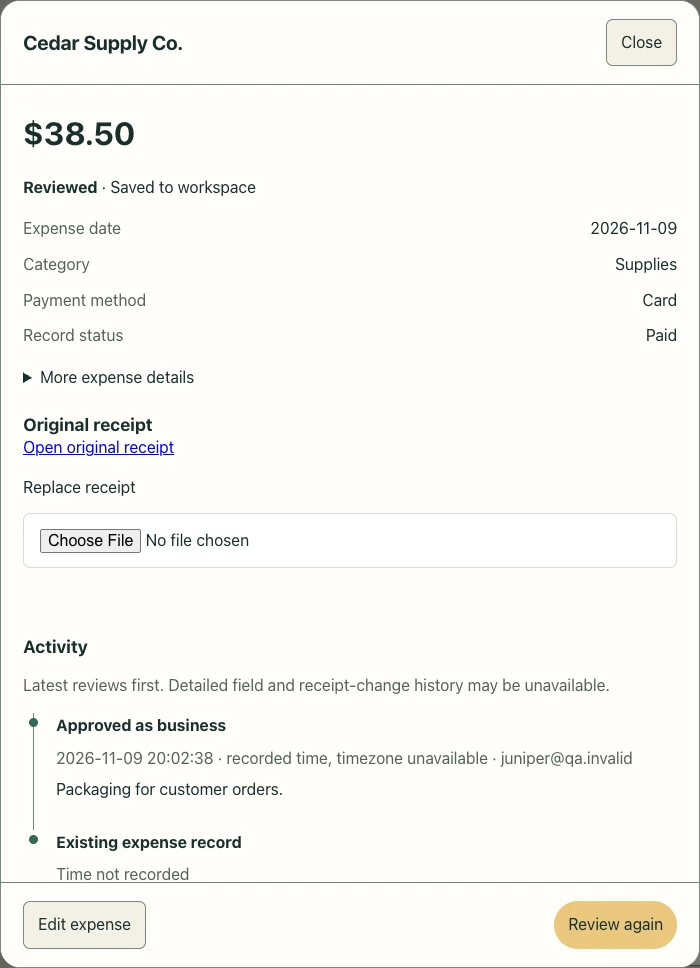
Open the saved expense to find the original receipt and its review activity.
Expense detail · Sample data
03 / YOUR SALES TRACKER
A familiar place for each sale.
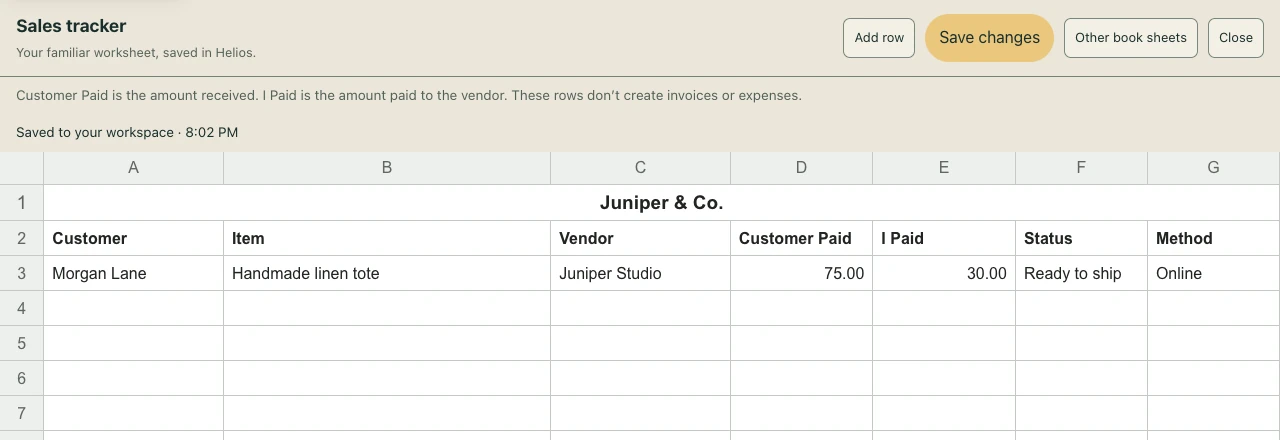
Track Customer, Item, Vendor, Customer Paid, I Paid, Status, and Method in one worksheet.
Save changes to your workspace and reopen the same rows later. On iPhone, a labeled field keeps the cell you’re editing in view.
Sales tracker · Sample data
One connected workspace
From the first conversation to the final payment.
Start with the tools you need today. Keep the rest close as your work grows.
01 / CLIENT WORK
Customers, quotes & invoices
Keep customer details and document history together. Build branded quotes and invoices, generate PDFs, and see outstanding balances without digging through separate tools.
02 / GETTING PAID
Payments & customer portals
Give customers a branded place to view invoices and balances. Connect a supported payment processor, offer payment links, and track payment history alongside each document.
03 / EVERYDAY RECORDS
Expenses, receipts & bills
Capture receipts, organize expenses, record bills and vendors, and keep supporting documents close. Receipt scanning helps reduce repetitive entry; review the results before saving.
04 / YOUR NUMBERS
Books & financial reports
See business activity in dashboards, double-entry books, aging reports, and tax-related reports. Review and export your records for your own planning or your accounting professional.
05 / YOUR OPERATIONS
Catalog, projects & bookings
Organize products and services, inventory, projects, shipments, and appointments. Keep the work itself connected to the people and documents behind it.
06 / IN THE FIELD
Take the essentials with you
The native iOS companion focuses on customer lookup, quotes, invoices, and billing. Keep work connected to the web console. iOS access is currently through TestFlight.
Different work. Shared clarity.
A workspace for the way you work and live.
Independent work, growing businesses, and larger teams all need a clear view of their records.
Individuals & independent work
Keep receipts, manually recorded expenses, and financial documents organized—for freelance work, a side business, or personal record keeping. Choose a personal workspace at signup to keep your own records separate from business activity.
Small & growing businesses
Move from scattered customer notes and spreadsheets to one shared view of invoices, payments, products, and daily operations.
Larger teams & organizations
Explore member permissions, separate business workspaces, connected records, and reporting. Talk with us about your team size, volume, and integration needs before a larger rollout.
Time tracking and shift planning are part of your connected Helios web workspace.
Record actual hours separately from planned shifts. Calendar sync with Google and Apple is planned, not yet available.
Track actual time
Jobsites, breaks, time review, and approved hours that can become invoice lines.
Plan the week together
Shift calendars with approval, colors, and tags. Private employee links let people view their approved schedule without an app.
Use your own pay periods
Choose start and end dates—even across months—and generate an hours sheet for that exact period.
Simple subscription
Start with a little clarity. Keep it with Pro.
Try Helios for 14 days without a card. Your Helios subscription is managed through Polar.
Customer payments are separate: your business connects its own processor. Processor charges and any disclosed Helios transaction fees are separate from the Pro subscription.
Currently accepting US personal & business signups. For personal-only use or a larger organization, contact us about fit and setup.
Helios Pro
$9.99 / month
or $99 / year
Connected customer, invoice, and payment workflows
Expenses, business records, dashboards, and reports
Cancel through your billing portal. See our Terms for subscription and refund details.
A few good questions
Before you get started.
Can I use Helios for personal finances?
You can organize receipts, expenses, and financial records manually. Helios is not currently a connected personal budgeting or investment app: automatic bank feeds and AI deduction advice are not available. Choose Personal finances when creating your workspace. Signup is available to US residents aged 18 or older.
Can my employees and customers use it?
Business members use permissions within their workspace. Customers can use a configured, branded customer portal to access their own invoices. Employees can view approved shifts through private, expiring, read-only schedule links without installing an app.
Does Helios support large businesses?
Helios provides tools relevant to teams of different sizes, but larger deployments need an individual fit assessment. Contact us about capacity, permissions, compliance, support, and integration requirements. We do not currently advertise an enterprise SLA or unlimited scale.
What works on a phone?
The web console works in a mobile browser. The native iOS app is distributed through TestFlight while it is being refined. Android is not yet available.
Does Helios replace my accountant or payroll provider?
Helios helps organize financial records and provides accounting and tax-related reports. It does not provide professional tax advice or calculate payroll deductions. Review important records with your accounting professional.
Your next chapter, organized
Bring it all into focus.
Build a clearer picture of your work, your customers, and your money.